
Professional MacBook Maintenance Tips for Long-Term Performance
Apple MacBooks are renowned for their sleek design, robust build quality, and powerful ecosystem, making them a significant investment for professionals, students, and creatives alike. Because of this high value, keeping your device running at peak efficiency for years requires a blend of smart digital habits and attentive physical care. Whether you own an older Intel-based MacBook or a cutting-edge Apple Silicon machine, proactive upkeep prevents unexpected slowdowns and hardware failures. While routine personal care goes a long way, knowing when to consult top macbook repair and services ensures your machine receives expert handling for complex issues. Implementing a consistent maintenance strategy safeguards your workflow and maximizes your return on investment.
Mastering Software Hygiene and Storage Optimization
Maintaining your MacBook starts from within the operating system, where digital clutter and background bloat can accumulate silently over time. One of the most effective ways to preserve swift execution speeds is by monitoring your storage capacity. When a solid-state drive approaches maximum capacity, macOS struggles to manage virtual memory swap files and temporary caches effectively. Experts recommend keeping at least ten to twenty percent of your total storage drive completely free. Regularly review your downloads folder, archive completed projects onto external drives or cloud storage, and permanently delete redundant applications that no longer serve your daily workflow. Furthermore, taking advantage of built-in storage management tools helps identify heavy files hogging valuable space.
Beyond storage space, application management plays a pivotal role in operational speed. Many applications automatically configure themselves to launch during system startup, silently consuming random-access memory and processing power in the background. Reviewing your login items through the system settings allows you to disable unnecessary background utilities, resulting in significantly faster boot times and responsive multitasking. Additionally, staying vigilant with macOS software updates and third-party application patches ensures your device benefits from crucial security enhancements, bug resolutions, and performance optimizations. Occasionally restarting your laptop rather than merely closing the lid clears out temporary system caches and resolves lingering process glitches.
Safeguarding Battery Longevity and Thermal Efficiency
The physical hardware components of your MacBook require just as much attention as the software environment, particularly the lithium-ion battery and the thermal cooling architecture. Modern laptops utilize sophisticated power management software, but user charging habits still dictate long-term battery degradation. Enabling optimized battery charging features within macOS helps the system learn your daily routine, delaying charges past eighty percent until you actually need full power. Avoiding extreme ambient temperatures is equally vital; exposing your MacBook to direct sunlight or running heavy processing workloads on soft surfaces like beds or couches can trap heat and degrade battery chemistry rapidly.
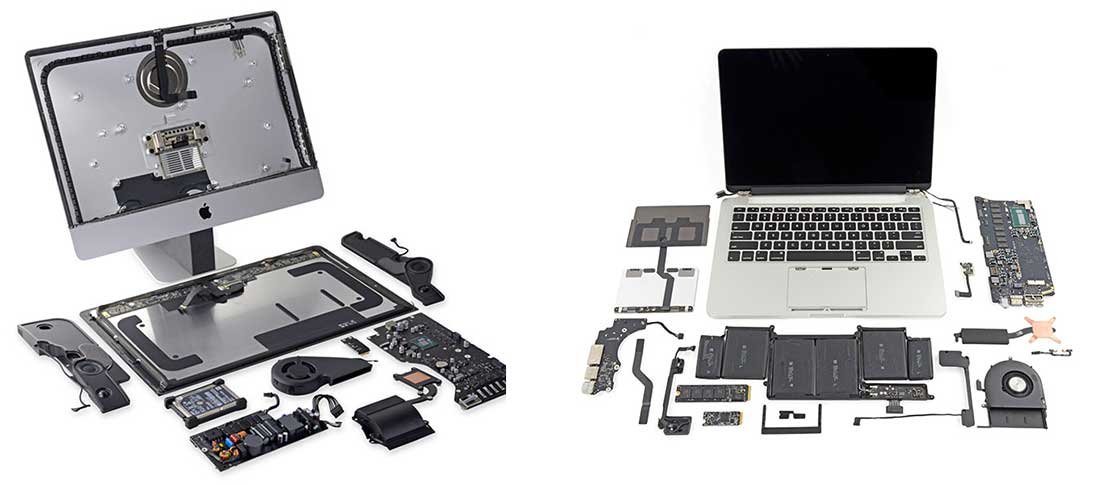
Heat is the silent enemy of electronic components. When internal temperatures rise too high, the processor initiates thermal throttling, intentionally slowing down clock speeds to prevent permanent damage, which translates to sudden lag and stuttering during intensive tasks. Dust and debris naturally infiltrate the chassis through ventilation grilles over time, choking airflow and insulating internal components. Regularly wiping down the exterior is helpful, but internal dust accumulation requires specialized tools. If you notice your fans spinning loudly or the chassis becoming excessively hot during casual web browsing, it is wise to seek out top macbook repair and services for professional internal cleaning and thermal paste replacement.
Protecting Physical Integrity and Handling Hardware Failures
Daily portability makes MacBooks susceptible to physical wear and tear, ranging from smudged displays and sticky keyboards to accidental drops and liquid spills. Cleaning the screen and keyboard requires care; always use a soft, slightly damp microfiber cloth without harsh chemical solvents or abrasive paper towels that can strip anti-reflective coatings or scratch delicate glass panels. Keyboard debris can be gently dislodged using compressed air, ensuring keys do not lose their tactile mechanism or register ghost keystrokes. Protecting your screen by avoiding the closure of the laptop with foreign objects like webcam covers or earbuds resting on the palm rest prevents catastrophic display cracks.
Despite meticulous preventative care, hardware components can eventually fail due to age or accidents, making professional intervention indispensable. Whether you are facing a swelling battery, a flickering display, unresponsive trackpads, or logic board anomalies, attempting amateur DIY fixes can easily aggravate the damage. Relying on top macbook repair and services guarantees access to authentic replacement parts, specialized diagnostic equipment, and certified engineering expertise. Professional technicians can accurately evaluate system health, perform intricate microsoldering repairs, and restore your device safely. Establishing a regular data backup routine via Time Machine ensures that your valuable documents remain secure no matter what physical challenges your laptop encounters. By combining vigilant digital housekeeping, smart power management, and timely professional support, your MacBook will deliver exceptional, reliable performance for many years to come.